Guides · Getting started
Run an LLM on your own hardware
Updated 20 July 2026 · about a 7 minute read
The first time I got a model answering me from my own machine, it was through LM Studio on a card I'd bought for gaming, and my main feeling wasn't wonder - it was mild disbelief that it had been that straightforward. Running a large language model at home used to be a project. It mostly isn't any more. If you've got a reasonable graphics card, you can have Llama or DeepSeek or Qwen chatting away tonight, and this is the version of the instructions I'd give a friend.
I've since gone much further down this hole than most people will want to - my daily setup is a benched vLLM server, which is the deep end. You don't need any of that to start. What follows is the shallow end, plus the handful of things I wish someone had told me on day one.
Why run one locally
The reasons that get written down are privacy, cost and offline use, and they're all real enough. Nothing you type leaves your machine, which matters when you're feeding it work documents or half-formed ideas. Once you own the card, there's no meter running, so you can hammer it all day. And it keeps working on a train.
The reason that kept me at it is less practical: I found I liked running the models more than using them. Swapping them, measuring them, finding out what a given card can and can't hold. If that itch sounds familiar - and if you used to mine, it probably does - the practical justifications are mostly cover.
Do you need a monster GPU?
No, and this is the thing most newcomers have backwards. For running models the number that matters is VRAM - the memory on the graphics card - because the whole model has to fit in it. Raw compute barely gets a look-in; inference spends most of its time reading memory, not doing maths.
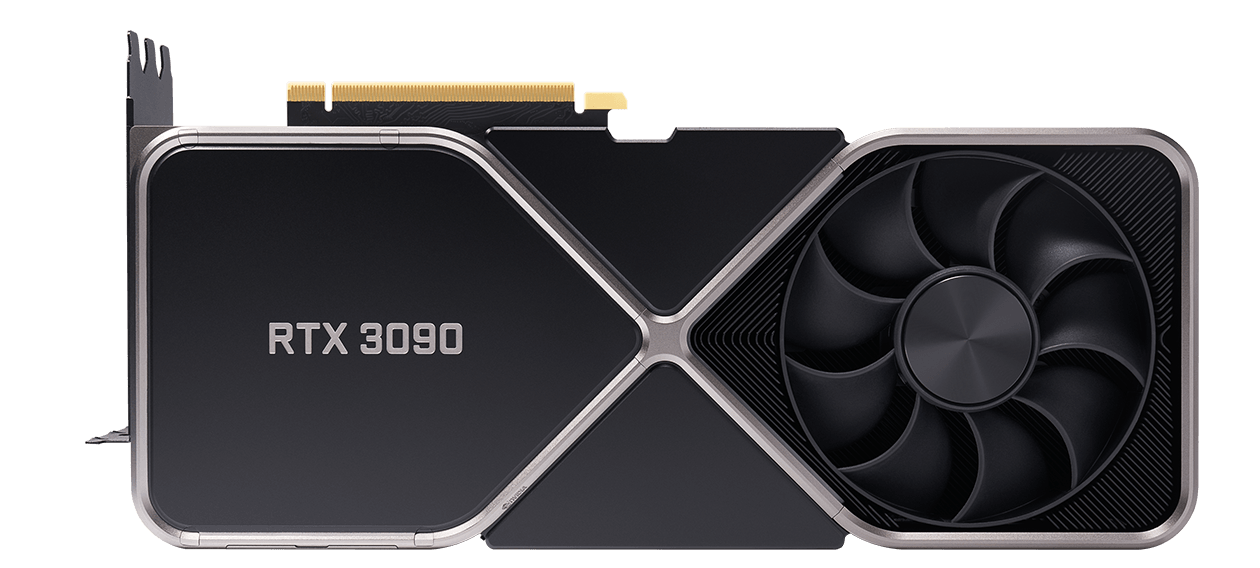
Which means an older card with lots of memory beats a newer one with less. A used RTX 3090 with 24GB will load models that a much more expensive 12GB card simply can't. Before you spend anything, the question isn't "how fast is it?", it's "what will that much VRAM fit?" - and the VRAM calculator will tell you before you commit to a download.
Getting a model running tonight
Two ways in, both free. LM Studio is a desktop app with a chat window and a model browser - it's where I started, and for a first run it does everything for you. Ollama is the command-line equivalent most people seem to land on these days; I've spent less time with it, but the shape is the same. Either way:
- Install the runner. Download, install, done - there's no CUDA wrangling or Python environment at this level.
- Pull a model. Start with something that comfortably fits your card - an 8B model runs on almost anything and downloads in minutes. Resist the urge to grab the biggest thing you've heard of; that comes later.
- Talk to it. Type into the chat window, or point another app at the local API if you're building something. That's the whole procedure at this level.
The levers that matter
Once something's running, three numbers decide what you can do, and they trade against each other.
Model size, in billions of parameters - bigger is usually smarter, always hungrier and slower. Quantisation - shrinking the model's precision so it fits in less memory. A 4-bit quant (Q4) roughly halves what a model needs, and in my experience the quality cost at Q4 is small enough that I stopped worrying about it. VRAM is the wall the other two run into: the model plus some headroom for the conversation has to fit, and when it doesn't, everything spills into system RAM and slows to a crawl.
The steer I'd give: a Q4 quant of the biggest model that fits with a couple of gigabytes spare. I very rarely find a reason to run higher precision on home hardware - the memory is nearly always better spent on a bigger model. There may be workloads where that's wrong; I haven't hit one yet.
Which card to buy
If you're buying specifically for this:
- The RTX 3060 12GB is the sensible floor - cheap, low-power, and 12GB runs real models. A reasonable way to find out whether this hobby sticks before spending properly.
- The RTX 3090 is where I point most people. 24GB for used-card money, and it's the same card that mined Ethereum in 2021 - mine came from that life, which is roughly how this whole site happened.
- The RTX 5090 if you want 32GB and current-generation speed, and can stomach what it costs to buy and to feed.
The GPU comparison ranks the field by price-per-gigabyte, which is the measure I actually shop on.
Where people get stuck
- The model doesn't fit. The most common failure, and it often doesn't error cleanly - it just runs at a crawl as layers spill past your VRAM. Drop to a smaller model or lower quant. The calculator predicts this before you download.
- It's running on the CPU by mistake. Replies arriving one slow word at a time usually means the runner never picked up your GPU. Both runners show which device they're using; check that before blaming the model. Driver updates fix this more often than seems reasonable.
- Heat and power. Inference pins the card for as long as it's generating, so airflow and PSU headroom matter - which is a different duty cycle from gaming and worth planning for. Worth knowing: my card flat-out on inference draws far less than its gaming maximum, and power-capping it costs almost nothing in speed.
Start there, and expect the itch to escalate - mine went from one LM Studio chat window to a benchmarking spreadsheet and a second 48GB card on order, and I couldn't tell you exactly where the line was crossed. Whether that's a warning or a recommendation depends on you.